Home › User Guides › Voicemail
Voicemail
Access your voicemail and its settings from your desk phone, the Portal, the web phone or the mobile app.
From Your Desk Phone
- Press the Voicemail button (envelope icon).
- Enter your voicemail PIN and press
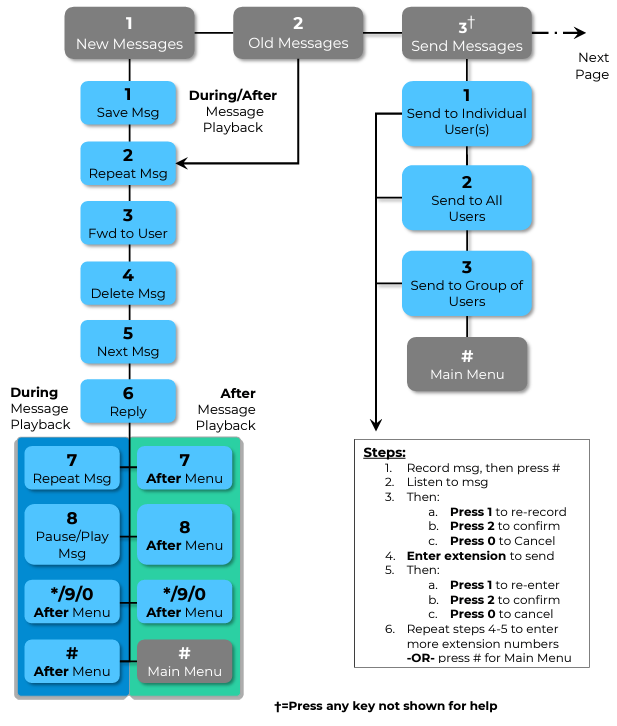
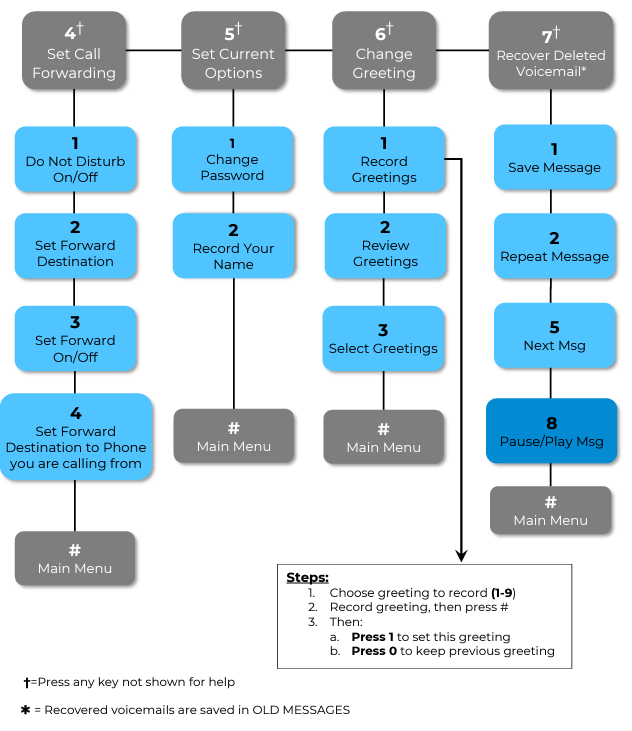
#. If you never set one, the default is1234. - The system announces a summary of new and saved messages, then plays the main menu.
Each message starts with a header: "Message received on [day/date] at [time]".
💡 Tips: press any key to skip the header and jump straight to the message. The playback menu is active while a message plays; some options jump to the end of the message and play the "after" menu.
From the Portal
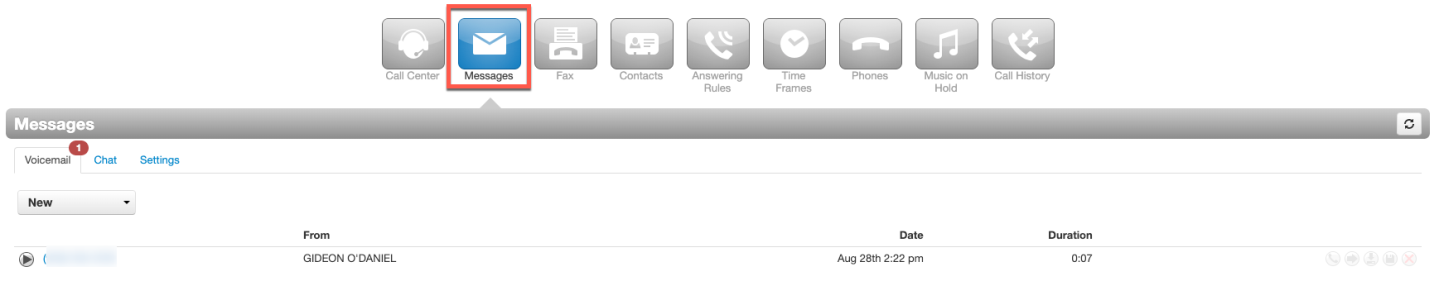
- Log in to your Portal and select Messages at the top of the page.
- New voicemails are displayed and play through your speakers or headset; the drop-down arrow reveals saved messages.
- To the right of each message you can play it on your primary phone, forward it to another user's voicemail box, download it, or delete it.
Voicemail Settings & Greetings
Within Messages, select the Settings tab:
- Enable Voicemail — uncheck to turn your voicemail off.
- Options — sorting options for your inbox, plus emails when your mailbox is full or you miss a call.
- Operator Forward — let callers press 0 from your voicemail to reach another user; just enter the extension.
- Copy to extension(s) — copy your voicemails to another user's box. Copies are independent: deleting your copy does not delete theirs.
- Voicemail Transcription — get your voicemails transcribed so you can read them.
- Voicemail Greeting — select Manage → Add Greeting, then create it via:
- Text-To-Speech — type your message and pick a voice.
- Upload — use an existing recording.
- Record — the system calls you to record it.
- Recorded Name — record/type/upload just your name if you don't want a full greeting.
- Email Notifications — get an email when a new voicemail arrives; optionally auto-delete the voicemail from your inbox once emailed.
From the Web Phone
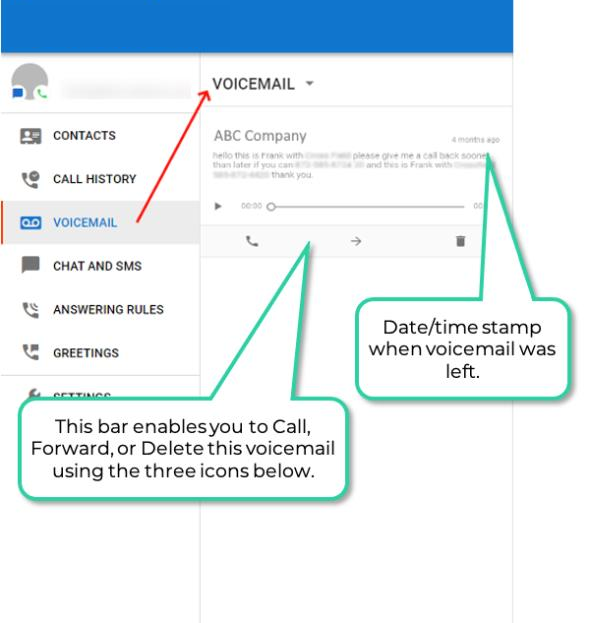
- In the Web Phone, select Voicemail in the navigation pane.
- New and saved voicemails are listed — click Play to listen, and read transcriptions if the premium transcription feature is enabled.
From the Mobile App
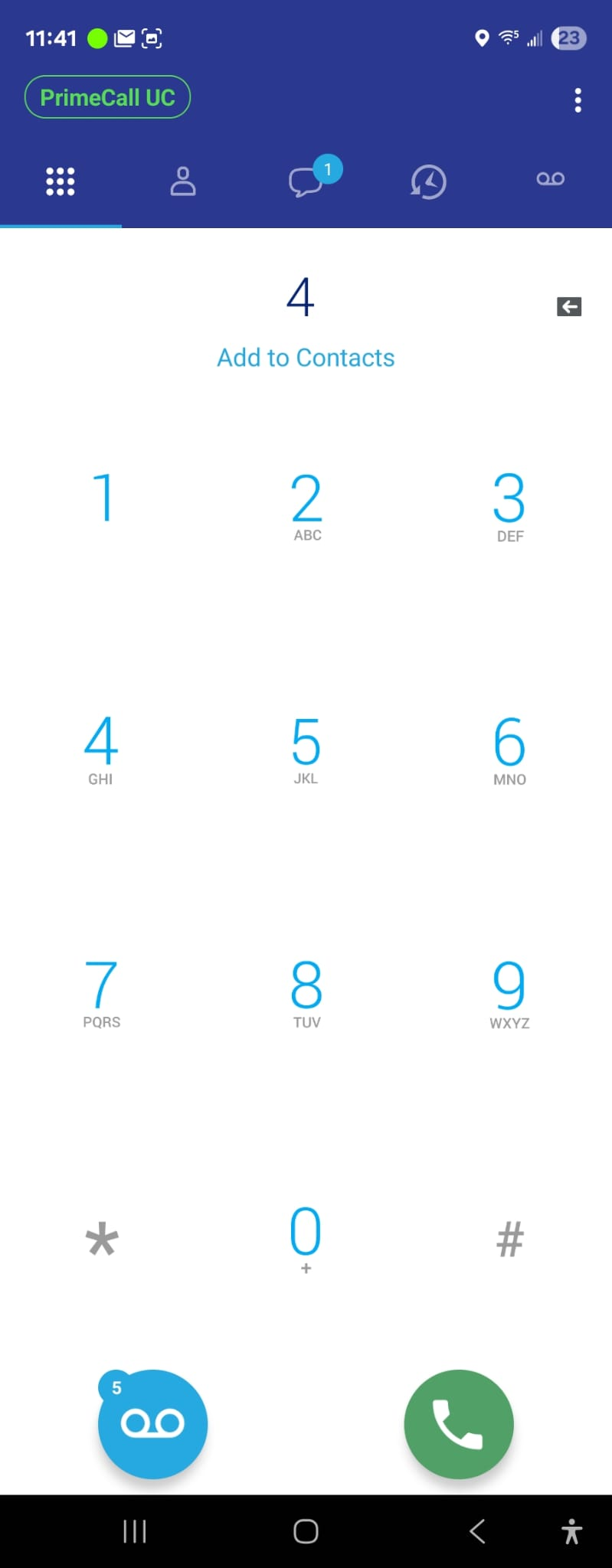
Missed calls and new voicemails trigger a notification and badge the app icon. Two ways to check:
- Keypad — with a new voicemail, the keypad offers to call the voicemail system, where you enter your PIN.
- Visual Voicemail — in the Menu: play messages directly (no audio-menu call), read transcriptions if enabled, and forward, save or delete messages.
Related: Portal Messages · Mobile Visual Voicemail · Feature Codes
↑ Back to top