Home › Admin & Manager Guides › SMS & Text Messaging
SMS & Text Messaging
Engage your clients over text in two ways: an SMS queue that routes inbound texts to your call-center agents, or per-user SMS for inbound and outbound texting by individuals.
Before You Start: Campaign Registration
⚠ Required: federal regulations require every business to complete a "Brand and Campaign Registration Form" before SMS can be used in your domain. If you haven't received the form from your implementation specialist, email [email protected] to request it.
SMS Queues
Let clients text your business and have agents answer:
- Log in to your Portal for Managers.
- Verify you have an available number under Inventory → SMS Numbers.
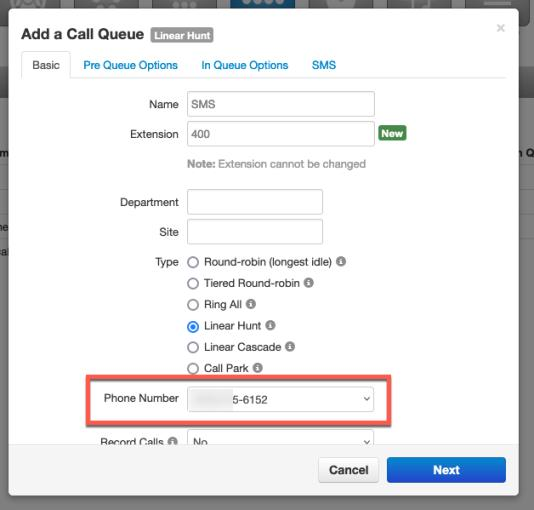
- Click Call Queues → Add Call Queue.
- Build the queue as usual — name, extension, agent-routing type — and in the Direct Phone Number(s) drop-down select your available SMS number.
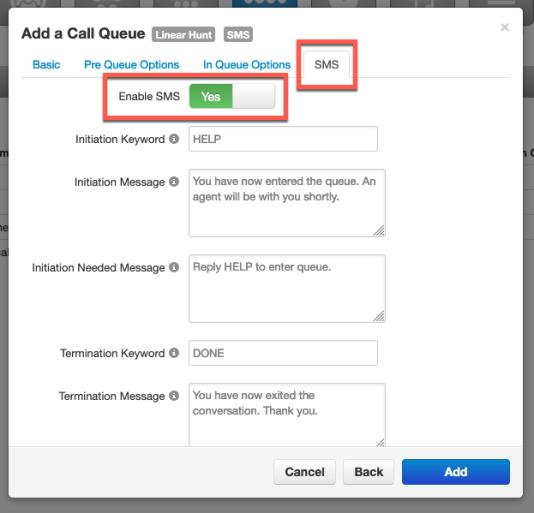
- Click the SMS tab, Enable SMS, and customize how messages come into the queue.
- Click Add to complete the queue.
Add agents to the SMS queue
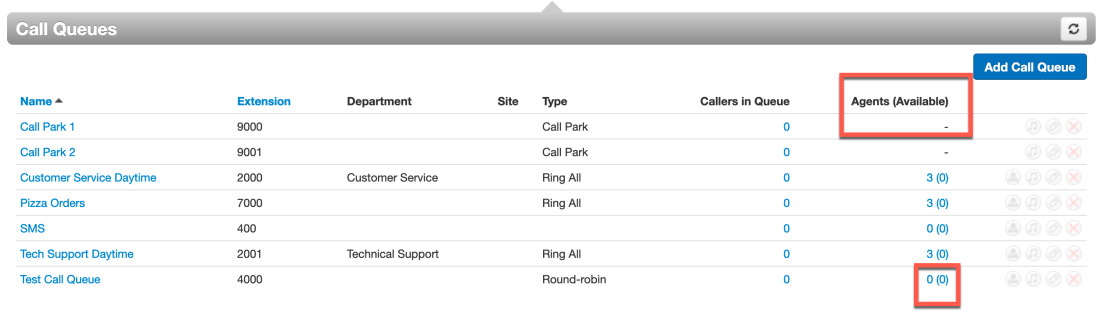
- Find the queue and click the 0(0) link in the "Agents (Available)" column.
- Click Add Agent and set the options — the same options as a voice queue (status, wrap-up time, max simultaneous calls…), plus Max SMS Sessions: how many SMS conversations an agent can handle at once.
- Click Save Agent.
Full option descriptions are in Call Queues → Adding Agents.

SMS for Individual Users
- In the Portal for Managers select Inventory → SMS Numbers.
- Click the available SMS number, select User from the drop-down, enter the user, and Save.
Where to Send and Reply to Texts
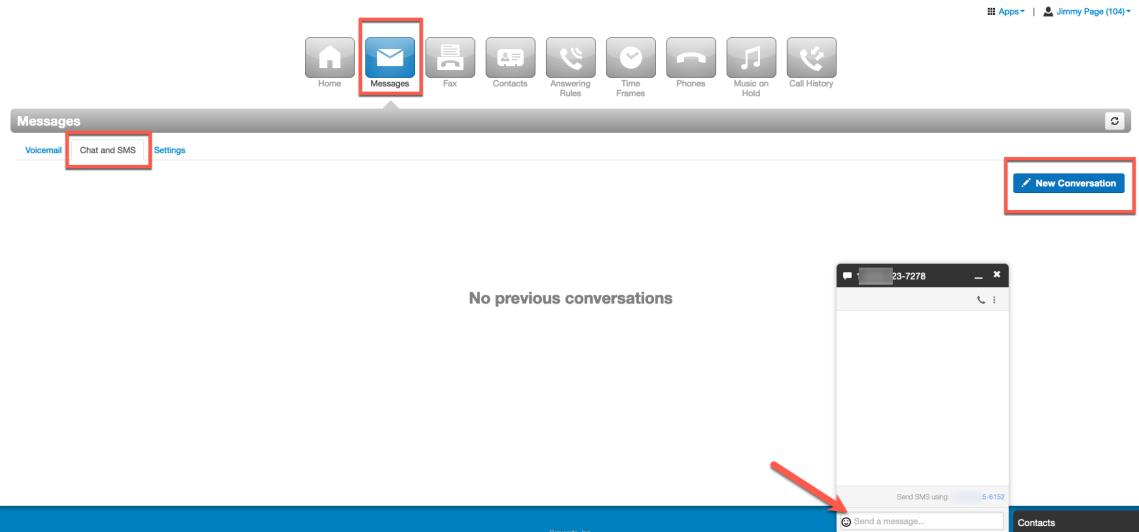
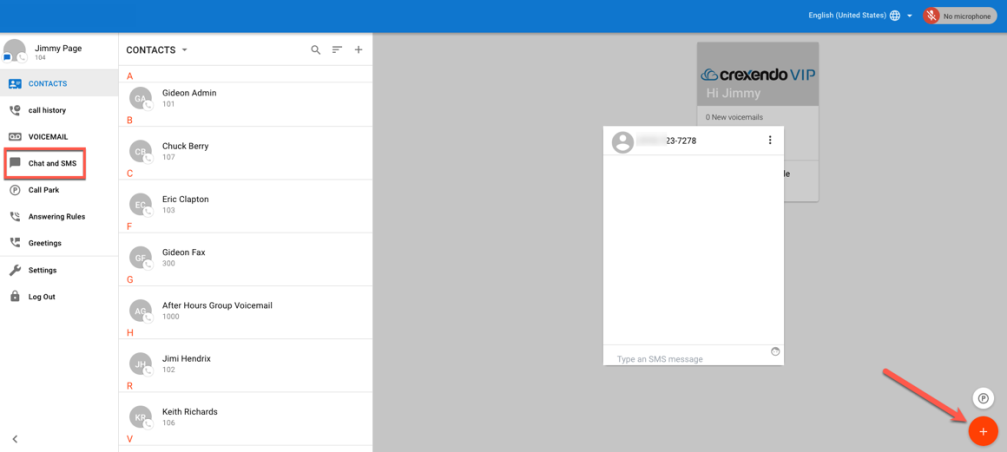
- Portal Messages tab — select Messages → Chat and SMS, then New Conversation and type the number.
- Web Phone — click the red button (bottom right), select New Conversation, enter the number or contact, press Enter. Conversations live in the Chat and SMS tab.
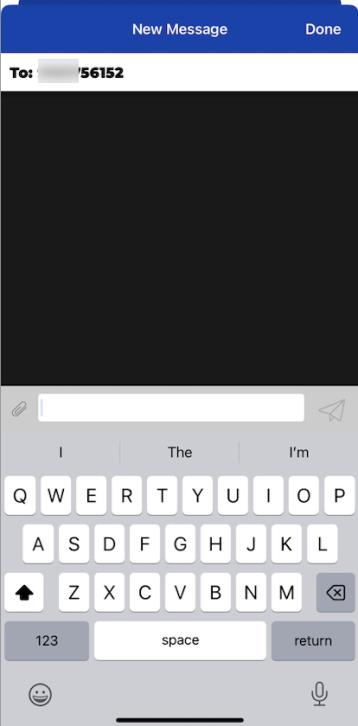
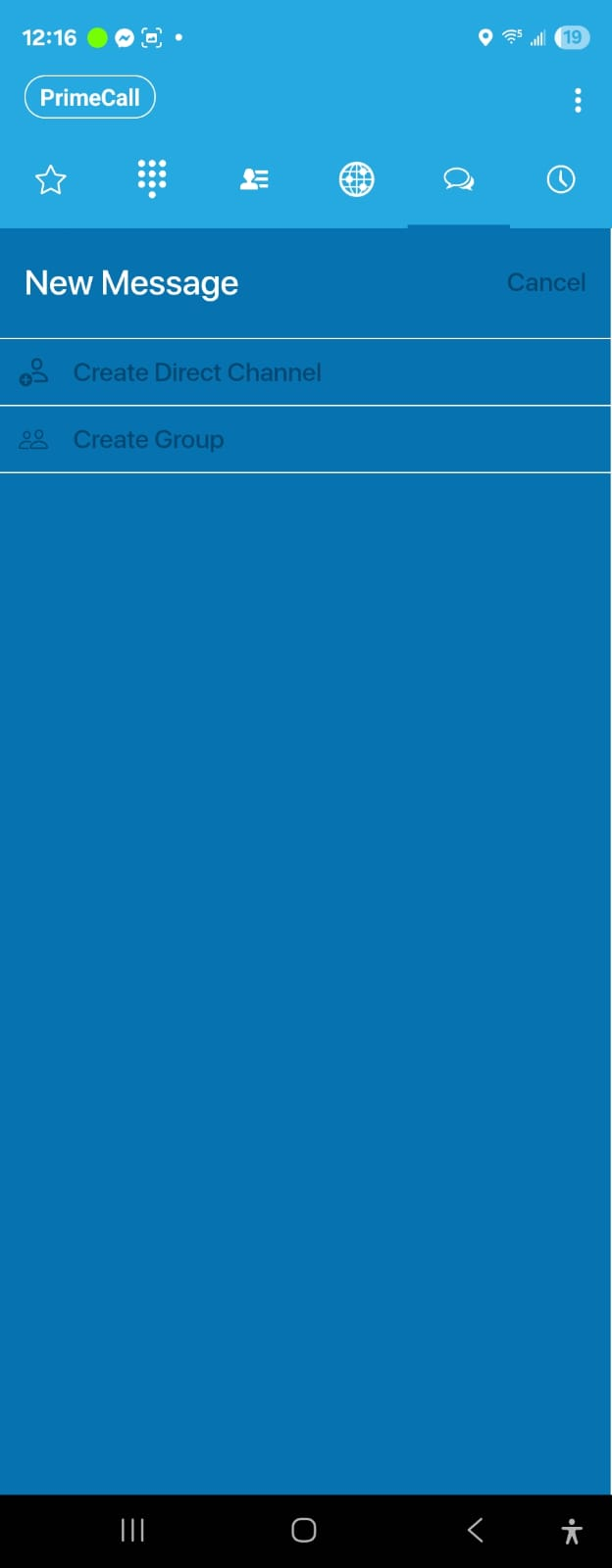
- Mobile App — open Messages, tap the new-conversation icon, and type the number or contact name.
ℹ Limits: SMS messages are limited to 1,000 characters; images sent over SMS are limited to 1 MB.
Related: Call Queues · Inventory: SMS Numbers · Web Phone
↑ Back to top