Home › Admin & Manager Guides › Attendant Console
Attendant Console
The Attendant Console (VAC) is a companion app to your desk phone or web phone — ideal if you regularly transfer calls. It gives you visibility of your entire organization and drag-and-drop control over every call you receive.
Open it from the Portal: click Apps (upper right) → Attendant Console.
With drag and drop you can: transfer any call to a user or their voicemail, park a call, transfer to a call queue, or transfer to an auto attendant.
Navigating the Console
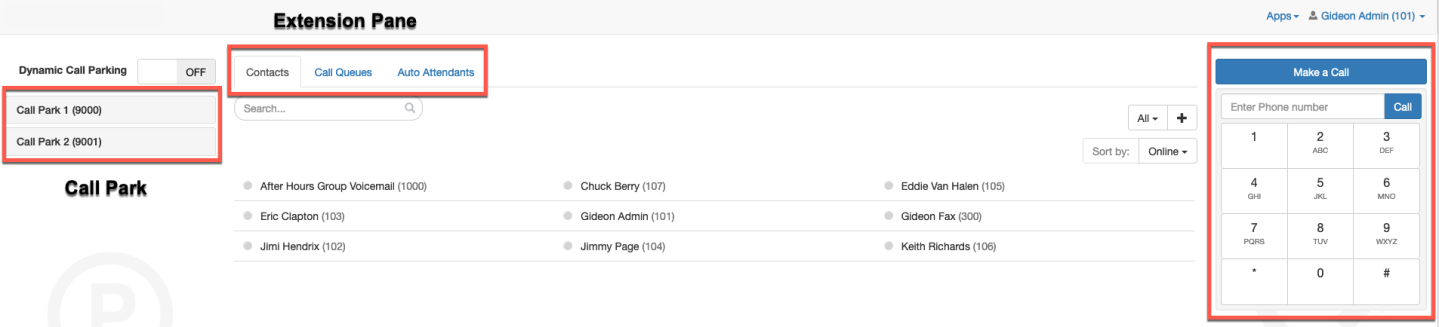
- The Extension Pane — your organization's contacts on the Contacts tab, plus Call Queues and Auto Attendants tabs. Drag calls onto any of these to transfer.
- The Call Park List — your parking spots, if your organization uses them. Drag calls here to park them. You can also activate Dynamic Call Parking, which picks the spot for you.
- Make a Call button — place calls from the console; once initiated, the call is delivered to your desk phone.
Handling Calls
To make a call
- Number not in the directory — select Make a Call, enter the number, press Call. The call transfers to your desk phone.
- Number in the directory — click the name in the console (search in the Extension Pane if needed). A pane pops up offering to call the extension or their voicemail.
To transfer a call
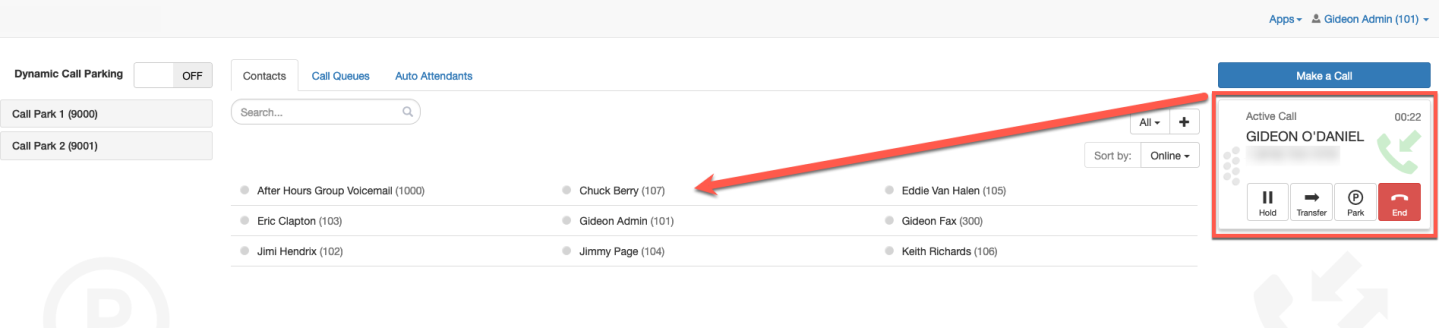
- To an internal user — in the call pane select Transfer and drag the call to the user. You'll be offered a blind transfer, an assisted transfer, or transfer to voicemail.
- To an external number — if it's in your contacts, drag and drop as usual. If not, do it from your desk phone: press Transfer, dial the 10-digit number, press Transfer.
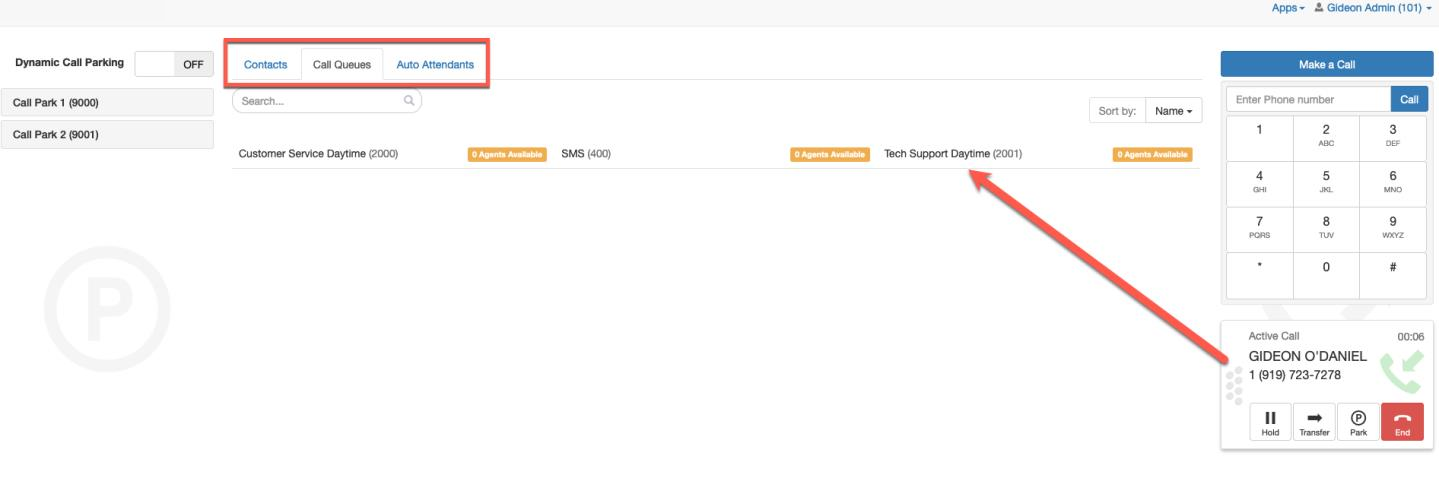
- To a call queue or auto attendant — find the destination in the Extension Pane and drag the call onto it.
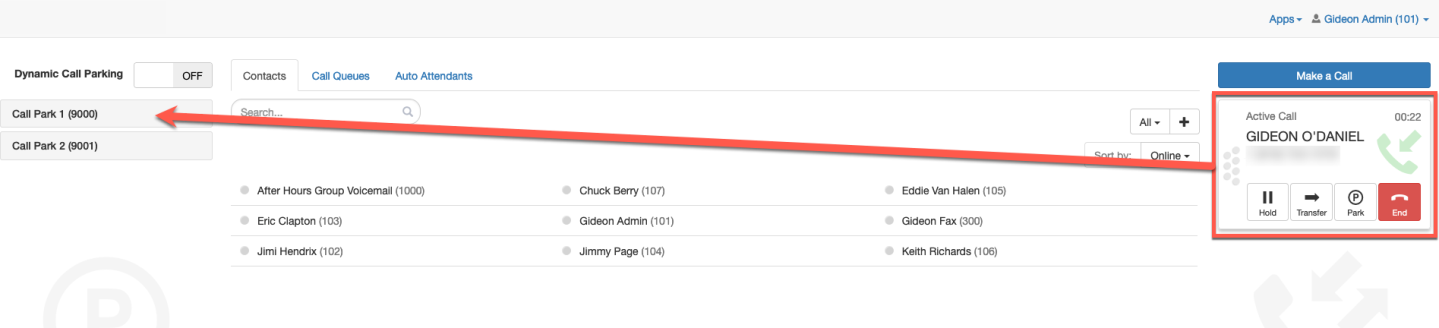
- To a call park — drag the call into the Call Park pane.
Dynamic vs. non-dynamic call park
- Dynamic — the parking pane shows no individual spots; just drag calls to the pane and the system chooses the spot.
- Non-dynamic — all your call parks are listed and you choose which one gets the call.
Related: Call Park basics · Call Queues · Auto Attendants
↑ Back to top