Button Builder
Button Builder changes the feature and line buttons on your PrimeCall desk phone — the buttons on the left and right of the display screen. It's not for soft keys, and it only works on desk phones (not the mobile app or web phone).
Open Button Builder
Where it lives depends on your permissions:
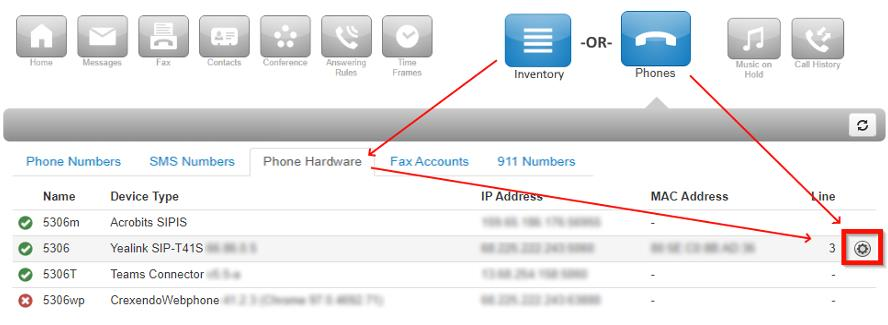
- Users — in the Phones section of the Portal: find your desk phone, click the gear icon on the right, and select Yes to configure button configuration.
- Office Managers — in Inventory → Phone Hardware: find the phone, click its gear button, and select Yes.
Inside Button Builder
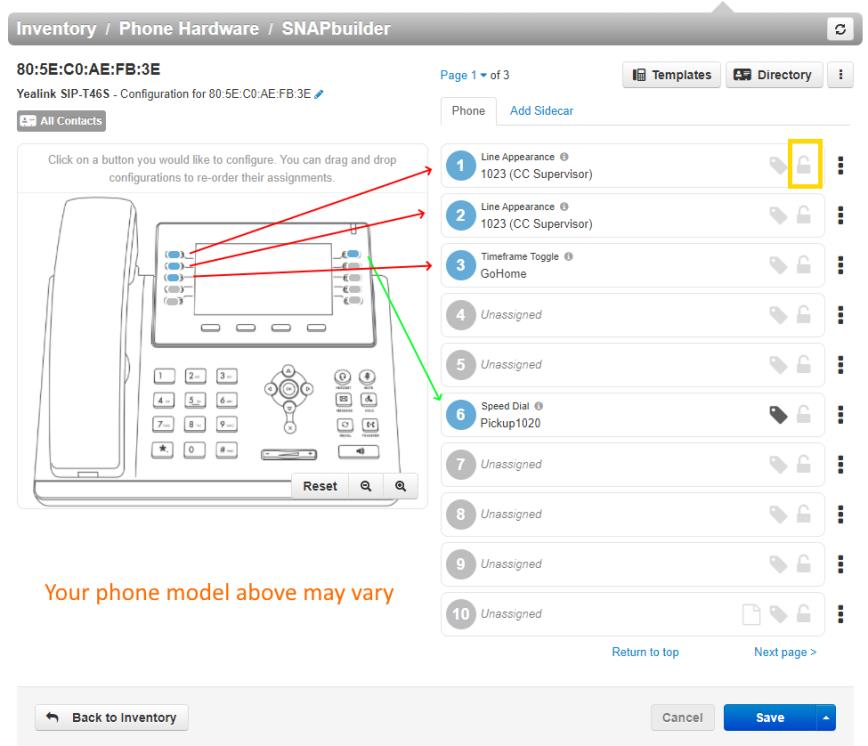
You'll see a diagram of your desk phone on the left and a list of numbered buttons on the right.
- Blue buttons already have a function; gray buttons are unassigned.
- If a button's padlock icon is unlocked, you can edit it.
Add or Edit Buttons
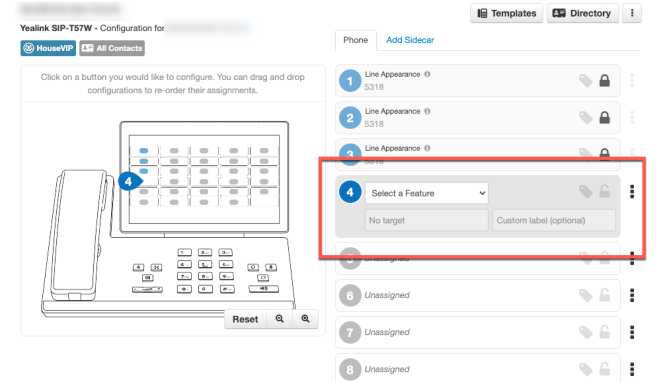
- Add: navigate to the page, click an entry marked Unassigned; it expands for editing.
- Edit: click any unlocked button entry; it expands for editing.
Each button has three settings:
- Select a Feature — pick from the feature list below.
- Target — the feature's target: a phone number, extension, etc.
- Custom Label — optional name that appears on the phone.
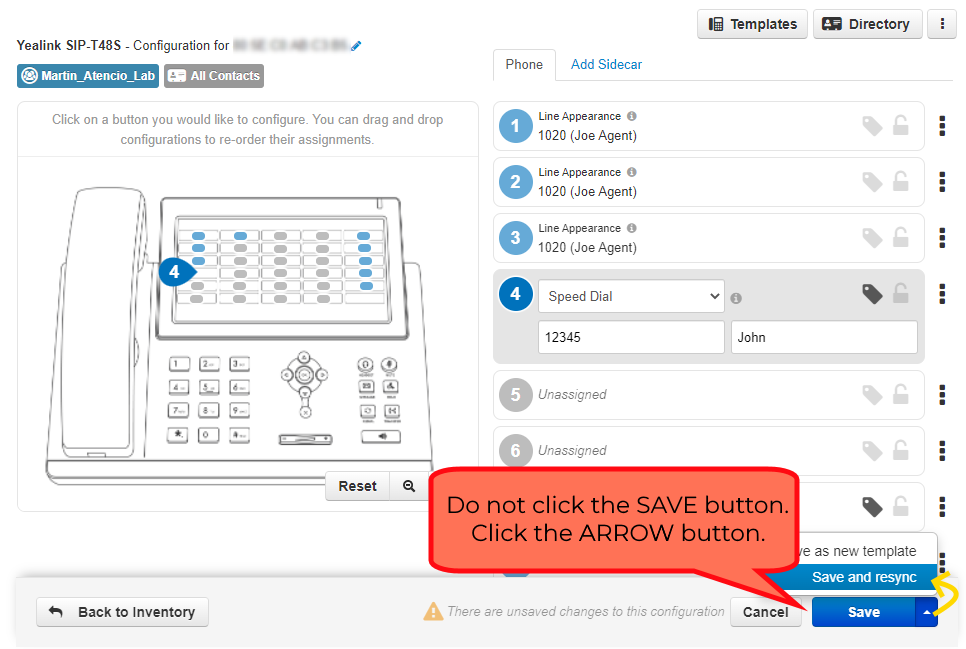
Example 1: button #4 → Speed Dial, target = John's number, label "John". Press it to call John.
Example 2: button #5 → Call Park, target = an existing park extension, label "Park 1". Press it to park/unpark calls in that spot.
Save the Changes to Your Phone
The new configuration must be sent to your phone: click the arrow next to Save and choose Save and Resync. Your phone reboots if idle; if you're on a call, it waits until the call ends, then updates.
Available Button Features
| Feature | Description | Target |
|---|---|---|
| Line Appearance | Creates a phone "line" for taking and receiving calls. | Your extension |
| Shared Line Appearance | "See" another user's line — your phone won't ring, but it visually shows their incoming calls. | Someone else's extension |
| User (BLF) | Press to call the target; lights red when their phone is in use, green when free. | Someone else's extension |
| Call Park | Send an in-progress call to a parking spot (a Call Park queue must exist). | An existing park call queue |
| Speed Dial | Press to call the target. | Internal/external number |
| DTMF | Dials a set of digits during an existing call. | Any number |
| Timeframe Toggle | Enable/disable the answering rule connected to a time frame. | An existing answering rule |
| Queue Login | Log yourself IN to all queues you're an agent of. | N/A |
| Queue Logout | Log yourself OUT of all queues you're an agent of. | N/A |
| Move Call | Move a call from one of your phones to this phone. | N/A |